


Expanded Party Window Features
The Valhalla-Age project features an Assist List and character status indicators in the Party window.
Assist List
This feature allows party members to add the names of priority characters to a list visible to the entire party.
To open the list, click the Assist  button in the Party window. A window will display the characters added by party members. Double-click a name in the list to target that character, provided they are within your line of sight.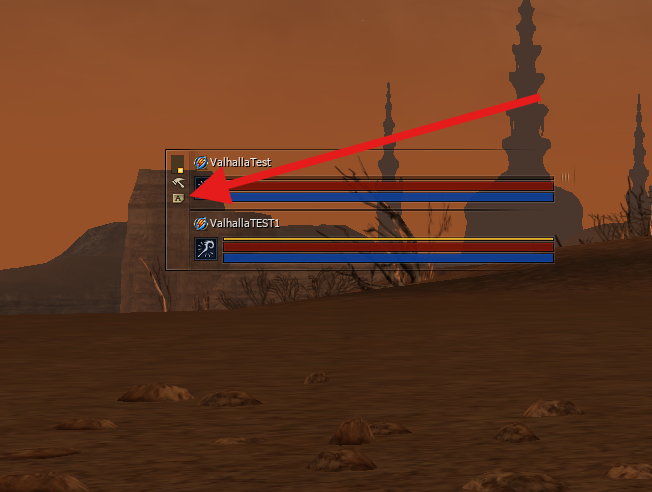
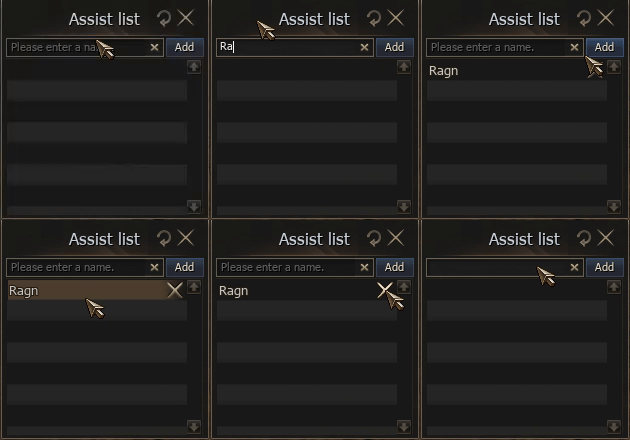
Character Status
The Party window now displays a visual indicator when a character has PK status.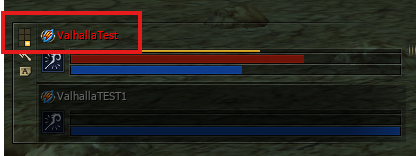
If a dead party member is affected by Resurrection  or Mass Resurrection
  , the effect will be visible to the entire party.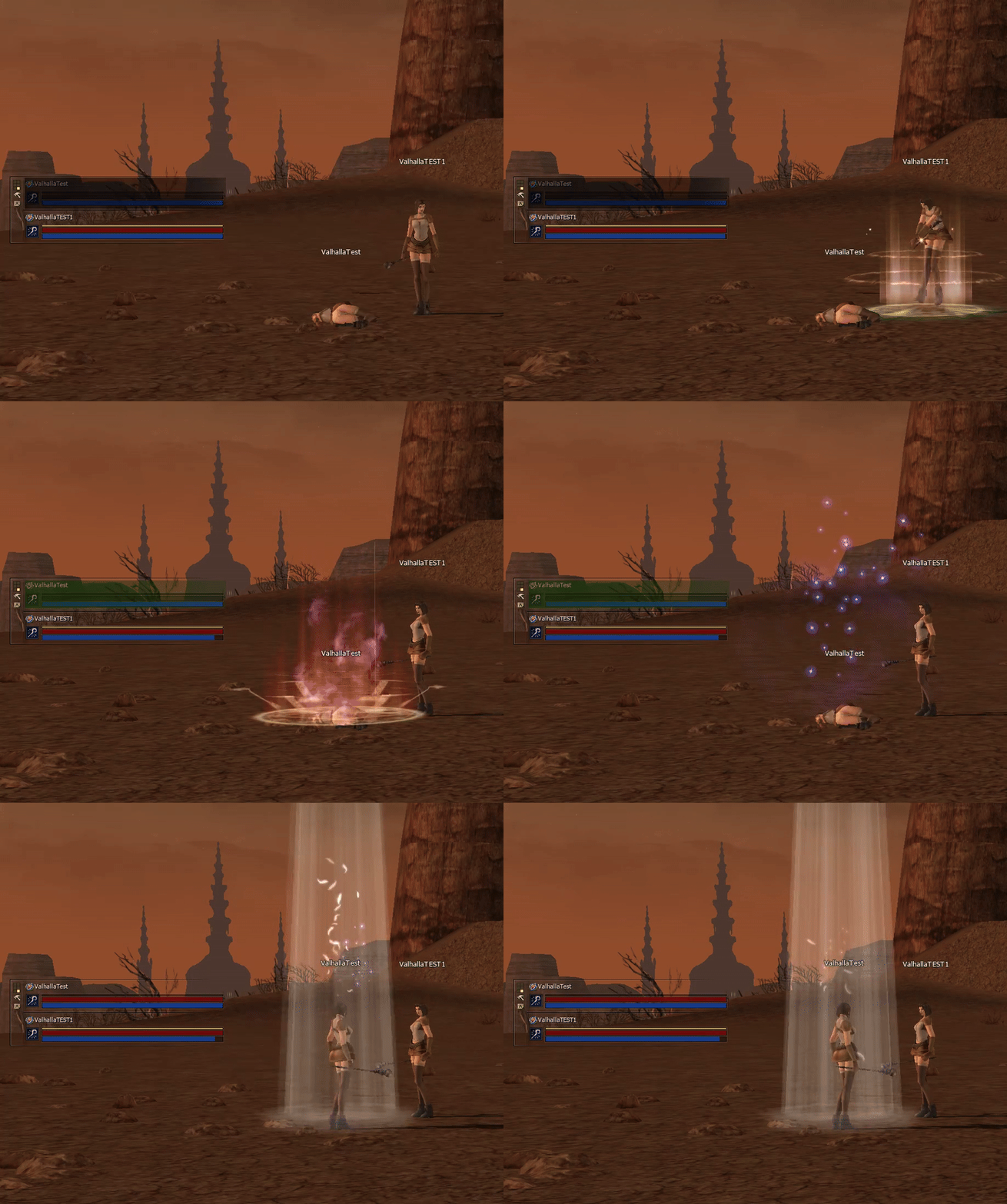
Другие статьи этой категории
- Referral System,
- Starter Packs,
- Soul Crystal,
- Clan Halls,
- Fortress,
- Castle Sieges,
- Common Craft,
- Bonus Start,
- Project rules,
- Aden Laboratory,
- Stickers,
- DKP-System,
- Weapon Appearance Treatment,
- Auto-Hunting (Features and settings),
- Great Olympiad,
- Character Stats,
- Class Balance x1,
- Location Changes and Champion Monsters,
- Alchemy,
- Purge,
- Pattern Switching System,
- Expanded Command Channel Features.